Search This Blog

9/16/12

How to Delete Remove Icons on Cell Phone - LG Lucid Andriod

Deleting icons off your smartphone touch screen is easy to do. This post will show you how to remove any unwanted icon easy.

I use an LG Lucid Smartphone that is powered by Android so this post best suits that cell phone. That said, I'm sure you can use this information for many other phones as well.
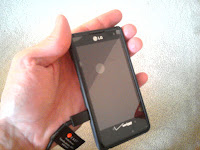
I first started deleting icons when I noticed I was getting a ton of spam ads in the form of icons.  Turns out certain apps use certain adware to put unwanted ads on your phone as icon ads.  I wrote an article on how to stop unwanted ads on your cell phone if you want to learn more.

Removing these icons manually is easy to do and I'll show you how in the following steps:

Step 1


Power up you wireless phone of course and navigate so that the unwanted icons appear on your touch screen.

Step 2

Press and hold down the icon for a second or two.  On my phone it will vibrate a bit and then you'll see a trash can appear. My trash can appears at the bottom of the screen.  Keep holding down the unwanted icon.

Step 3

Drag the icon down into the trash can.  It should disappear from your cell phone screen.

That's it! You are done.  You've eliminated the icon you no longer want and have freed up some extra space on your touchscreen.

I hope that helps.

Deleting Entire Apps From Your Cell Phone

Have an app you no longer want around any more. If you want to remove an entire application from your cell phone you will need to uninstall it. This will remove the entire app as well as the icon. I wrote a post on uninstalling apps here. Check it out.

Be sure to check out some of my other posts. Thanks for stopping by! Hope I helped teach you how to delete remove icons on cell phone !

Are you getting a bunch of icons on your smartphone that are spammy and unwanted. I wrote a post on how to keep spam icons off your smartphone (click here). Check it out.

8/22/12

How to Tell How Much More Lotus Notes Email Memory to Delete

Once you start getting that memory warning message on Lotus Notes mail you will want to start deleting as many pesky emails as possible starting with the mail / files that take up the most gbs. You need to do this until you are under the memory threshold again. If you don’t, you won’t be able to save ‘sent’ emails, update your calendar, enable / disable features etc. on Lotus Notes.


The question that comes up of course is how many emails exactly do I need to delete? Or, put another way, how many GBs do I need to recover on Lotus so that I can start saving mail and using features again? 

Checking to see how much more memory you need to recover is easy to do but it isn’t very intuitive. You might not be able to find it on your own. I can show you how to figure this out here. 

I did notice that this did not work quite as smoothly when I migrated to Lotus Notes 8.5. Scroll down further if you don't find what you are looking for here:

Step 1
Go to FILE in the upper left corner of Lotus. A drop down menu will appear. 

Step 2
In the drop down menu, hover your cursor over DATABASE. When you do this a side menu will appear to the right.  

Step 3
Click on PROPERTIES on the side menu 


8/12/12

Lotus Notes Out of Office Message Won't Disable or Enable

If you are trying to go away on vacation  or leave the office for an extended period of time with no access to email, you will definitely want to enable your away message on Lotus Notes Mail to indicate you are not available via email. Here's a post to learn how to put your out of message on if you don't know how.

Conversely if yo have returned to the office you want to be sure you disable your out of office message so that people know you are back. 


Let's make sure you are disabling properly before we look at another way to fix your problem. To Disable, first be sure you are in any screen that allows the “Tools” button to show in the top right corner of your Lotus Notes screen (inbox, send, junk mail, trash, etc views will all allow you to see the “Tools” button)Click the “Tools” button

8/7/12

What You Need for Domestic LTL Truck Shipment Quote

So you want to have the right information ready to go when asking a trucking company or other carrier service for a rate quote?

Look, I'll be honest, I'm not a logistics expert but I do know a bit about getting a price for transportation of goods within the United States. This process really does not apply to international shipments worldwide. Overseas exports and imports require additional information for transport that I won't include here.

Also, this is best suited for domestic (USA) LTL (less than truckload) shipments using common carrier trucking service.

Some transport services need more information, some need less, some need more specific information than I detail here. They will talk you through this process if this doesn't give you everything you need. That said, if you have this information below, you'll be off to a good start. Check with your preferred carrier or third party logistics company and if there is some other freight information they need they'll tell you.

These are the things at a minimum your carrier will want to know when you ask them to quote what it will cost you to ship goods via truck.

1. The address the goods are shipping from (typically they just need origin zip code)

2. The destination the goods are shipping to (typically they just need the destination zip code)

3. The gross weight of your shipment


8/1/12

Removing Uninstalling Apps From LG Fusion Cell Phone or Other Wireless

OK, my guess is that you have downloaded a bunch of apps and found that you no longer want them on your phone anymore. It is likely that you either hate (or simply no longer want) the application or you need to open up some additional memory space on your cell phone. I’ll run through how to remove / uninstall apps.

This works for my LG Fusion (android) wireless phone so if you have that type of phone this method will work. If you have another kind of phone, it might work as well. Try it and find out. There are two ways you can do this, I’ll run through both. Heres the first way to get an app off your cellphone.

 Step 1
Press the “Apps” icon on your touch screen. Mine is in the lower right corner

Step 2 
Then look for your “App Manager “ Icon located under “Tools” on your touch screen. Press “App Manager” 

Step 3 
Now look for the “Download” Icon/button on the screen that appears. This shows at the top of my cell phone touch screen. Press “Download” 

Step 4 
A list of all your downloaded apps will appear. Press “Uninstall” Follow rest of prompts and your application will be off your phone.

There is also another way to erase an application off your wireless phone. I feel like there are more steps to this method but in some ways it is a little more straight forward.

 Step 1
See the button in the lower left corner of your LG Fusion? The one with the square on it? Press it
Button on lower left
 Step 2 
Then press “Settings” (You should be able to find it easy but if not it is the icon with the sprocket / gear under the word “settings” 


Step 3 
Scroll to and press the “Applications”button 

Step 4
Press “Manage Applications” 

Step 5  
Press “Downloaded” (you should already be on this tab but if not, press it) 

Step 6 
Choose your app that you wish to uninstall by scrolling to it and pressing it 

Step 7
Press “Uninstall” Follow rest of prompts then you are done.

Thanks for reading I hope this helps you with Removing Uninstalling Apps From LG Fusion Cell Phone or Other Wireless

Have you ever not been able to get mail alerts on your cell phone?  Click Here to Learn How to Get New Mail to Show on Your Phone Again

5/21/12

How to Restart Lucid LG Wireless Cell Phone

Cell phones have really evolved over the years. Any more they resemble computers more than they do actual phones. Smart phones have memory, operating systems, processors, unlimited apps to download and a host of other things that you would already do on a Mac or PC.


Like any computer, it is good to restart the system once in a while when updates call for it or even just for a quick tune-up so to speak to get everything running sooth again.


Step 1


OK, that metal button on the upper right side of your phone is what we’ll use to restart this phone. It is that little metal button you typically when you go to ‘wake up’ the phone screen. To get the phone restarted, go ahead and push this button down and hold it.


Keep holding this button until “Phone Options” window appears on screen.
 
Step 2


Look down the phone options window. Just above the “Power Off” button is the “Restart” button. Go ahead and press the “Restart” button


Step 3


Another window will appear with Restart alert warning you that you are trying to have the phone shut down and turned back on again. Go ahead and press “OK” and your phone will restart.
That is about all you have to do. Now, if you want to save battery life and have your phone completely turned off, I wrote a post on how to shut down a Lucid cell phone.

How to Turn off Lucid LG Cell Phone

Turning off your Lucid LG cell phone is real easy to do. When I bought this wireless phone I struggled to figure out how to shut it off. It didn’t help that I lost my quick start owner’s manual for this phone either.
 
At first I thought I could just leave it run all the time but I soon realized that going to movies, business meetings, quiet time with friends and dozens of other reasons to power down my cell phone made it necessary for me to figure out how to shut off this phone.

Another great reason to power down your Lucid phone is because the batter life is really short compared to a lot of other phones.

Here’s a real easy, step by step guide to shutting down your LG Cell phone